
Retail operations · 6 min read
Wholesale Squishy Retail Merchandising: A Practical Display Guide
A wholesale squishy order is easier to sell when every unit has a job on the fixture. One group can create a bright first impression, another can provide a low-commitment add-on, and a small number of units can be reserved as testers. Merchandising is the operating plan that connects those roles to SKU labels, stock counts and replenishment notes. Use it before you place a mixed order, then revise it after the first shelf review. The goal is a display that is easy for a customer to understand and easy for a buyer to restock.
Start with shelf roles, then map each role to a SKU, quantity, price label and tester rule. Keep demonstration units separate from saleable inventory, label every opened carton or tray with the SKU, rotate designs on a recorded schedule and include cleanup and accessibility in the plan. The catalog can provide product measurements and pack-out details, but the store should confirm its own fixture limits and the supplier should confirm any missing packaging or carton information.
Give every display position a job
Begin with the customer action you want each position to support. A discovery zone can introduce shapes or themes, a comparison zone can group confirmed size or material differences, an add-on zone can sit near checkout when the fixture allows it, and a feature zone can give one design visual priority.
Write the role in the buying brief instead of asking for a vague “mixed display.” Give each role a maximum width, depth and height, then list the permitted SKUs. If a catalog measurement is incomplete, request it before committing a shelf layout.
Use a small starting set
Start with two or three distinct roles rather than every available shape. CurioSpan lists CS-LF-66 7 cm Mini Hamburger at 47 g with a color box and display box; it can be reviewed as a compact food-themed example. The shelf role is still the store’s planning decision.
Map the shelf before you count the order
Sketch the fixture as usable rectangles. Measure internal shelf width, depth and clearance, then mark the customer-facing edge, replenishment access and any space needed for signage or payment equipment. Place each product role into the smallest space it must reliably fit.
| Shelf role | Purpose | Stock rule | Label to show |
|---|---|---|---|
| Discovery | Make the assortment easy to scan | Keep a shallow front row and back-up units nearby | Theme or product family plus SKU |
| Comparison | Help shoppers notice a confirmed difference | Group only products with readable specifications | Material or size as listed |
| Tester | Allow handling under store rules | Mark a unit outside saleable count | “Tester” and SKU |
| Feature | Give one design visual priority | Keep one front unit and a reserve location | Product name, SKU and price |
Count capacity by the space the packed product uses. A display box or bag can change the footprint, so ask for final pack-out when it affects the fixture. Keep the sketch with the quote request.
Separate tester stock from saleable stock
A tester follows a different handling rule from a sealed saleable unit. It may be opened, squeezed, cleaned or replaced more often. Mark units as saleable, tester or hold; “hold” can cover inspection, a return or damaged packaging.
Keep three stock states visible
Put the SKU, state, date checked and staff initials on a tray card or inventory note. This prevents a tester from being picked for an online order and stops a held unit from silently reducing the next reorder.
Set the store’s handling and hygiene rule beside the fixture. Follow local procedures and any product instructions rather than claiming one universal cleaning method or age suitability.
Make every position traceable to a SKU
Design labels for the person who replenishes the shelf at the end of a busy day. Include product name, SKU, price field, and material or filling only when confirmed. Put the same SKU on the back-up carton, tray or storage bin. A photo can help staff match a shape, but it should support the text label.
Keep variant language precise. If plain and emoji versions have separate records or prices, give them separate lines. If a color mix is not a confirmed selectable option, write “assortment to confirm” and ask the supplier to confirm the final variant list before printing permanent signage.
Use a repeatable label code
An internal card might read CS-LF-66 · discovery · saleable. The exact code is the store’s choice; the same fields should appear in the shelf map, stock count and reorder note.
Rotate the display without losing the record
Rotation should change visibility while preserving traceability. Record the date, outgoing SKU, incoming SKU, quantity moved and reason, such as a seasonal theme, low front-row count or damaged package. Avoid moving several variables at once if you want to learn which change affected the shelf.
Use before-and-after photos as operating aids, not as substitutes for unit counts. When a design leaves the front row, keep its reserve location and SKU visible for online or repeat orders.
At the next review, compare available-to-sell counts with the prior count. Keep returns, testers and holds in separate fields.
Build accessibility and cleanup into the fixture
Leave a clear approach to the display and keep labels readable from the shopper’s side. Avoid placing the only product information behind a crowded row or at a height staff cannot reach safely. Ask the store team to test reach, contrast and clearance according to local requirements.
Plan where open packaging, dust, damaged units and returns go. A service tray or back-room location can keep the selling area tidy without mixing a held product into saleable stock. At opening and closing, straighten the front row, confirm the tester is marked, remove loose packaging and update the stock state.
Follow the store’s cleaning policy and any instructions supplied with the item.
Turn the review into a supplier-ready replenishment brief
After the first shelf review, send the supplier a concise record: SKU, saleable count, tester count, units on hold, proposed reorder quantity, desired variant, required pack-out and any missing measurement. Include the shelf role when it changes the selection. This lets the supplier quote against a defined list instead of interpreting a photo.
Ask where the catalog is incomplete
Request final dimensions, unit weight, inner-pack and carton information for the exact SKU when those fields affect fixture or freight planning. Keep the reply with the version of the shelf map that triggered the order.
Combine this plan with CurioSpan’s wholesale quote checklist and the display box and carton pack-out guide.
Buyer questions
How many wholesale squishy designs should a new display carry?
Choose the number that fits the measured fixture and the store’s ability to track each SKU. Start with distinct shelf roles and a clear replenishment record, then expand after the team can count saleable, tester and held units separately.
Should a tester be included in the saleable order quantity?
A tester can be purchased as part of the physical order, but it should be marked and excluded from available-to-sell stock once assigned. Confirm the desired tester quantity and pack-out with the supplier instead of assuming one tester per design.
Can I use product photos as my merchandising plan?
Photos are useful for matching shapes and reviewing a before-and-after layout, but they do not record capacity, SKU, variant, stock state or missing measurements. Pair the photo with a shelf map and a SKU-level count.
Explore the catalog examples
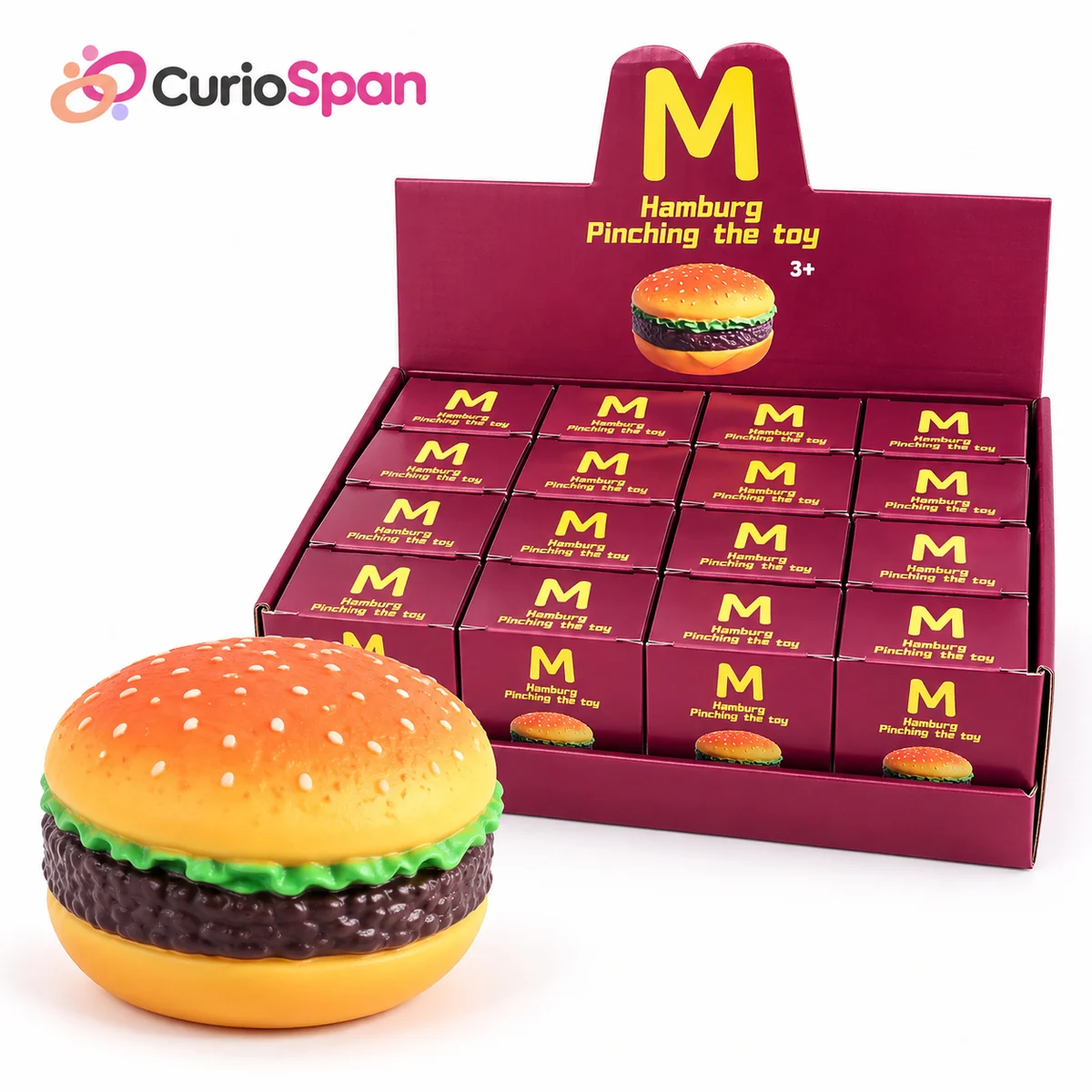
Product examples use CurioSpan catalog information available on October 9, 2026. Planning examples are illustrative; confirm the selected SKU and order terms before purchasing.